Foster MileageAvailable on Android

From school runs
to family visits.

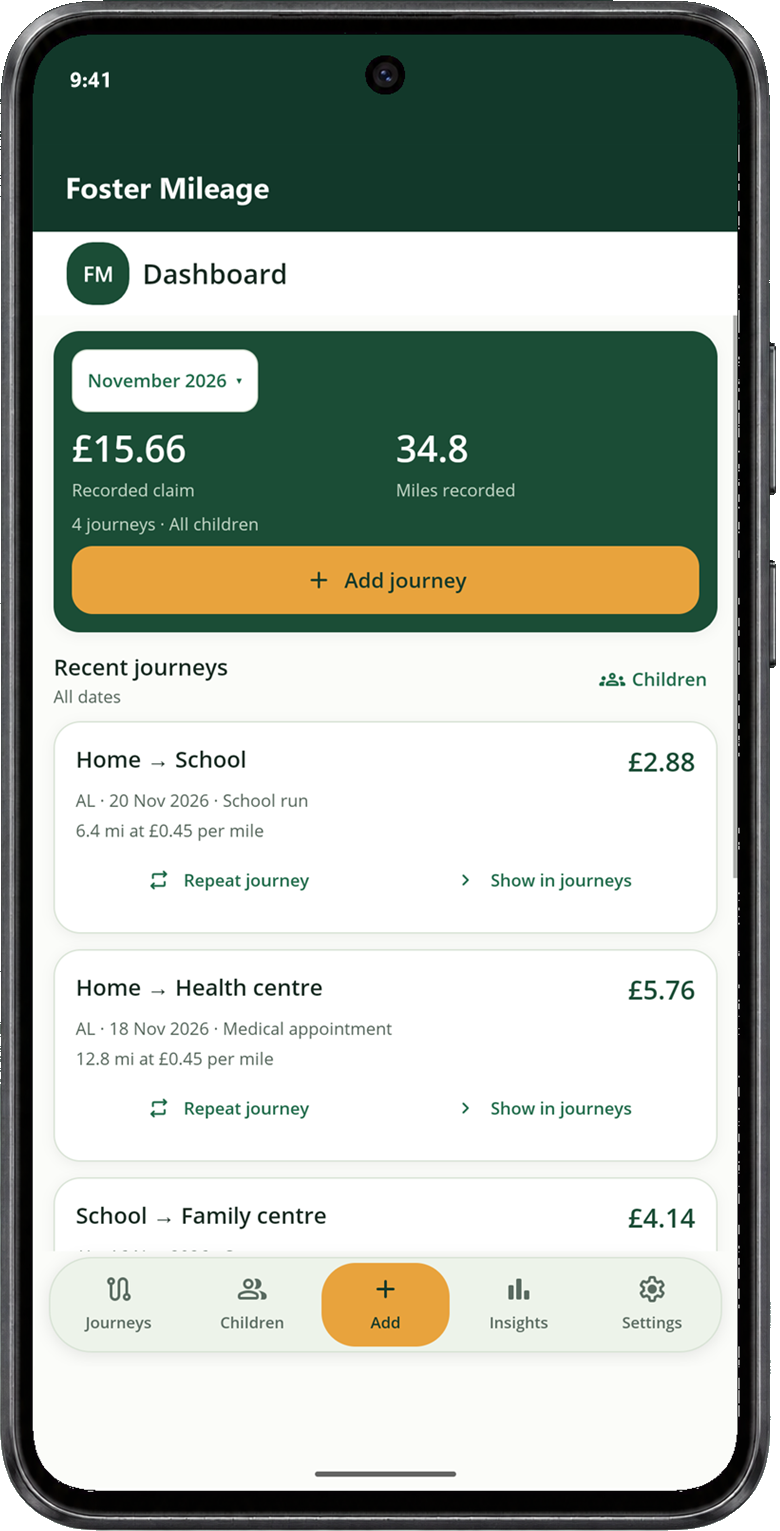
Keep a mileage record for each child in your care. Log a journey, see the claim amount calculated at your mileage rate and look back through earlier months.

Get it on Google Play
Take a look inside
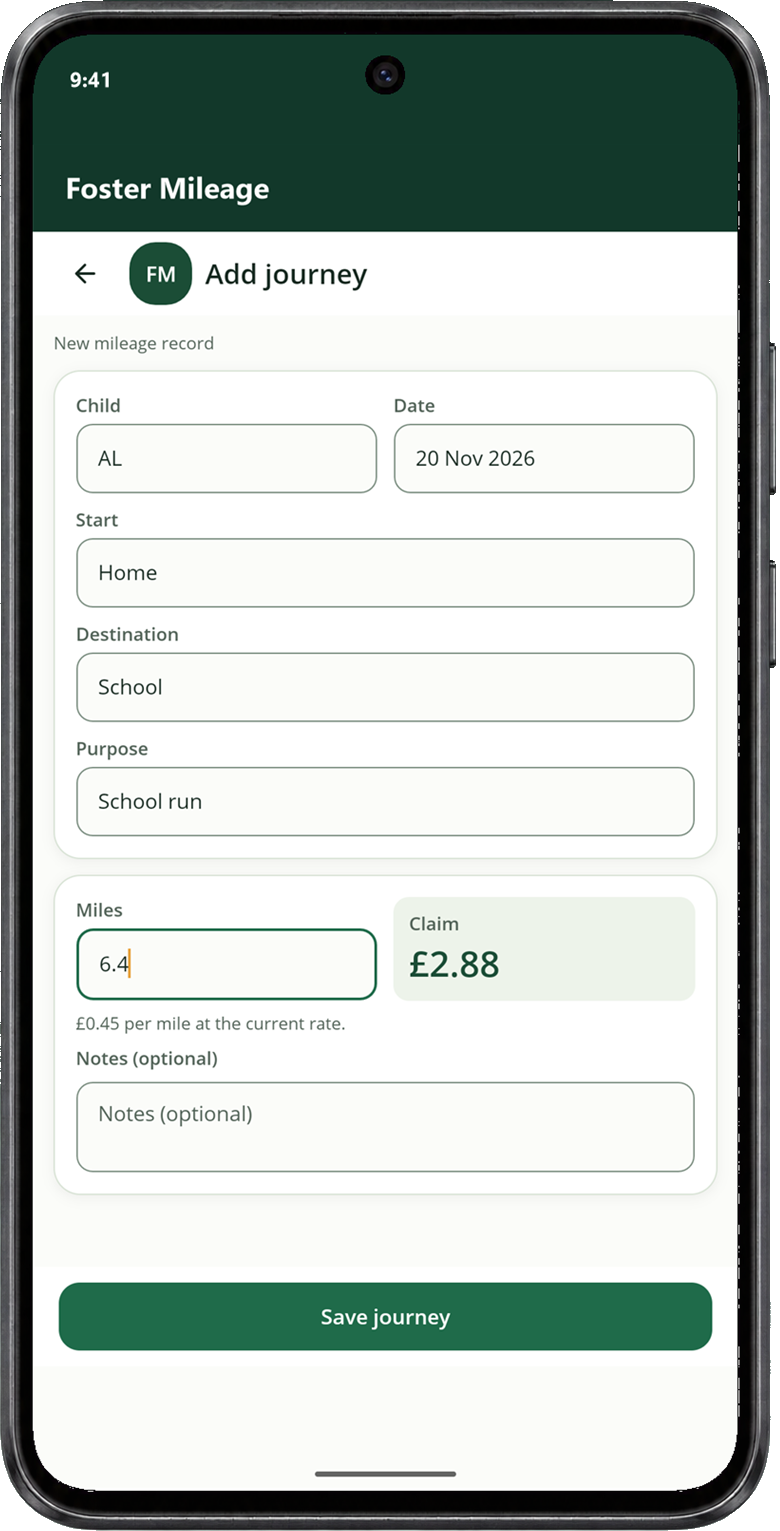
Dashboard showing monthly mileage, calculated claim totals and recent journeys Add journey form filled in with an example school run
Foster Mileage on Android

Record and review your journeys

Select a screenshot to see it at full size.

Log a journey

Choose the child and enter the date, route, purpose and miles. The app shows the calculated claim amount while you fill in the record.

School-run form showing the route, purpose, miles and calculated claim
Add journey

Find an earlier trip

Browse previous months or all your history and filter by child. Use Repeat journey to start a new record for a familiar route.
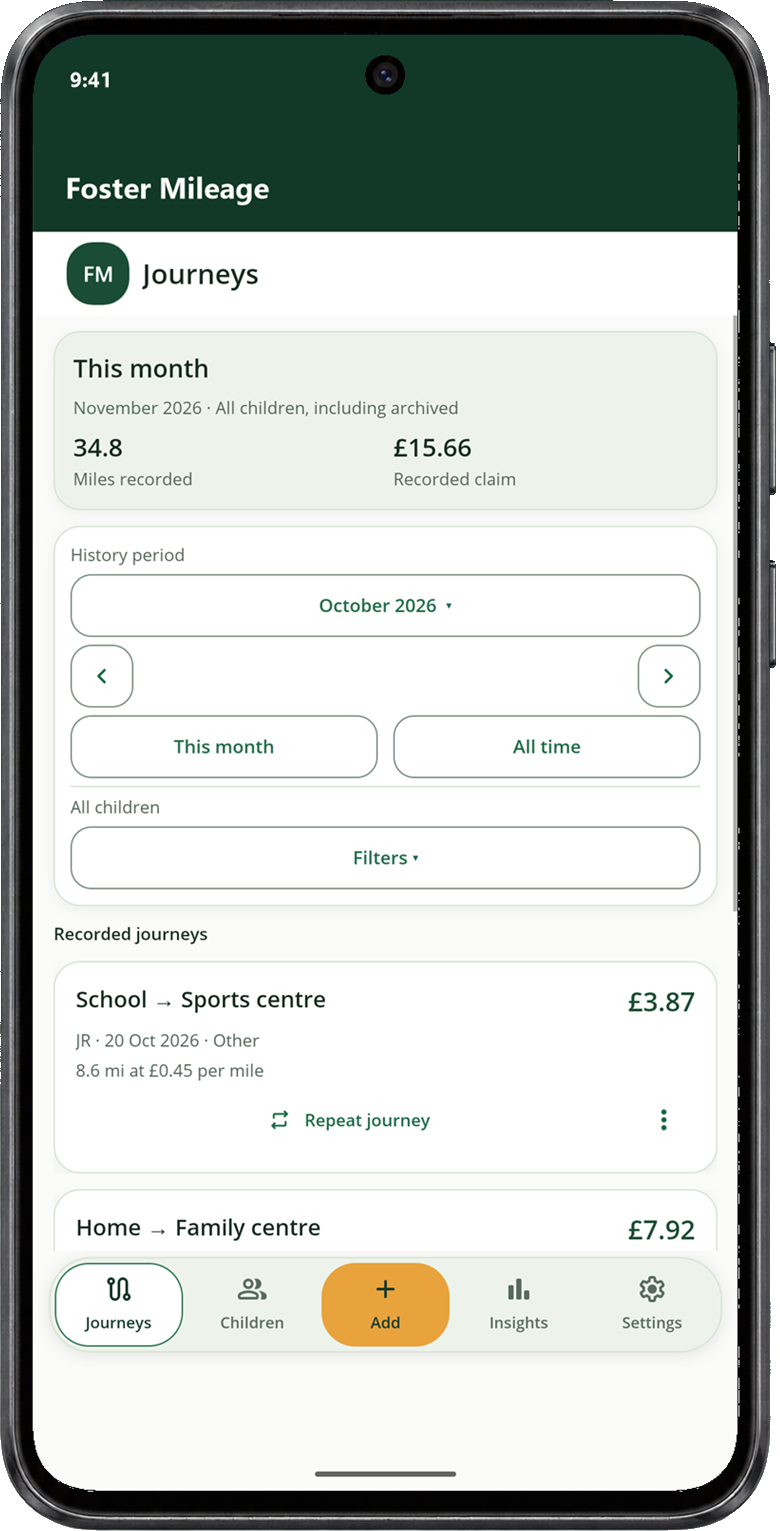
Journeys screen with a month picker, child filters and past routes
Journey history

See how mileage changes

Check monthly totals for free. Premium adds a six-month chart and breakdowns by child or journey purpose.
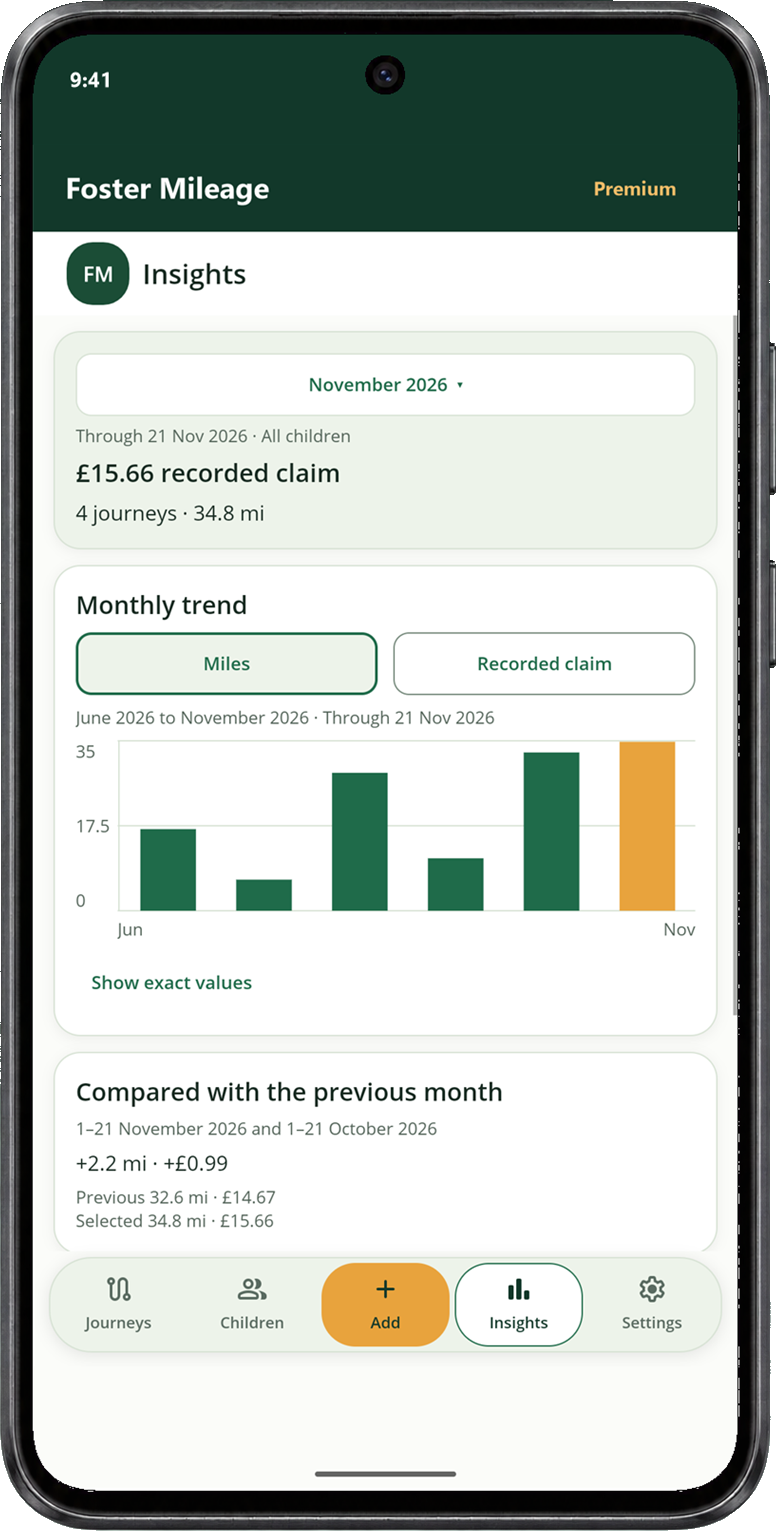
Premium Insights screen with a six-month mileage chart and a comparison with the preceding month
Premium Insights

Your records stay on your device

Foster Mileage stores journey records in an encrypted database on your Android device. Use initials for child profiles and record only the details you need.

Read the Foster Mileage privacy policy
Enter journeys yourself
Enter start and destination names and the distance in miles. The app does not use GPS to track journeys.
Use your organisation’s mileage rate
Each saved journey keeps the rate used to calculate its amount. Follow your organisation’s rules when submitting a claim.
Plan for a change of device
The current app has no backup, export or cloud sync. Clearing app storage or uninstalling can permanently remove your records.

Free & Premium

Start with Free. Upgrade for more active child profiles and detailed Insights.

Free

  • One active child profile, with archived profiles and journeys still accessible.
  • Add, edit and repeat journeys and review your full history.
  • Monthly journey count, miles and calculated claim total.

Premium

  • Unlimited active child profiles.
  • A six-month chart for mileage or recorded claim amounts and a comparison with the previous month.
  • Breakdowns by child or journey purpose.

Premium is an optional one-time purchase through Google Play. See the app’s upgrade screen for the current price.

Questions and help

Open Settings → Help and guidance in the app for step-by-step help. Contact ORAV Forge support if you need a hand.

Browse Foster Mileage guides

Where can I download Foster Mileage?

Foster Mileage is available for Android on Google Play.

Can I use it for regular journeys?

Yes. Tap Repeat journey on an eligible entry for an active child. Review the details and save it as a new journey.

Does it submit a claim for me?

The app records journeys and calculates amounts from your entries. Submit claims separately using your fostering organisation’s process.

Can I restore my Premium purchase?

Use the same Google Play account you bought Premium with. Restoring Premium restores the purchase entitlement. Journey records are stored on the device where you entered them.

Download Foster Mileage

Available on Android.

Get it on Google Play

Foster Mileage screenshot

Foster Mileage Add journey form